Buy
Excel + Google Sheets

Freelancer Bookkeeping Tracker

Know what you earned, what you spent, who still owes you and how much tax to put aside — in one simple spreadsheet.

€14 one-time · instant download
Buy now — €14

Launch offer: use code LAUNCH at checkout for €9.99 (until 2 November 2026). Secure checkout by Stripe. Prices include applicable VAT.
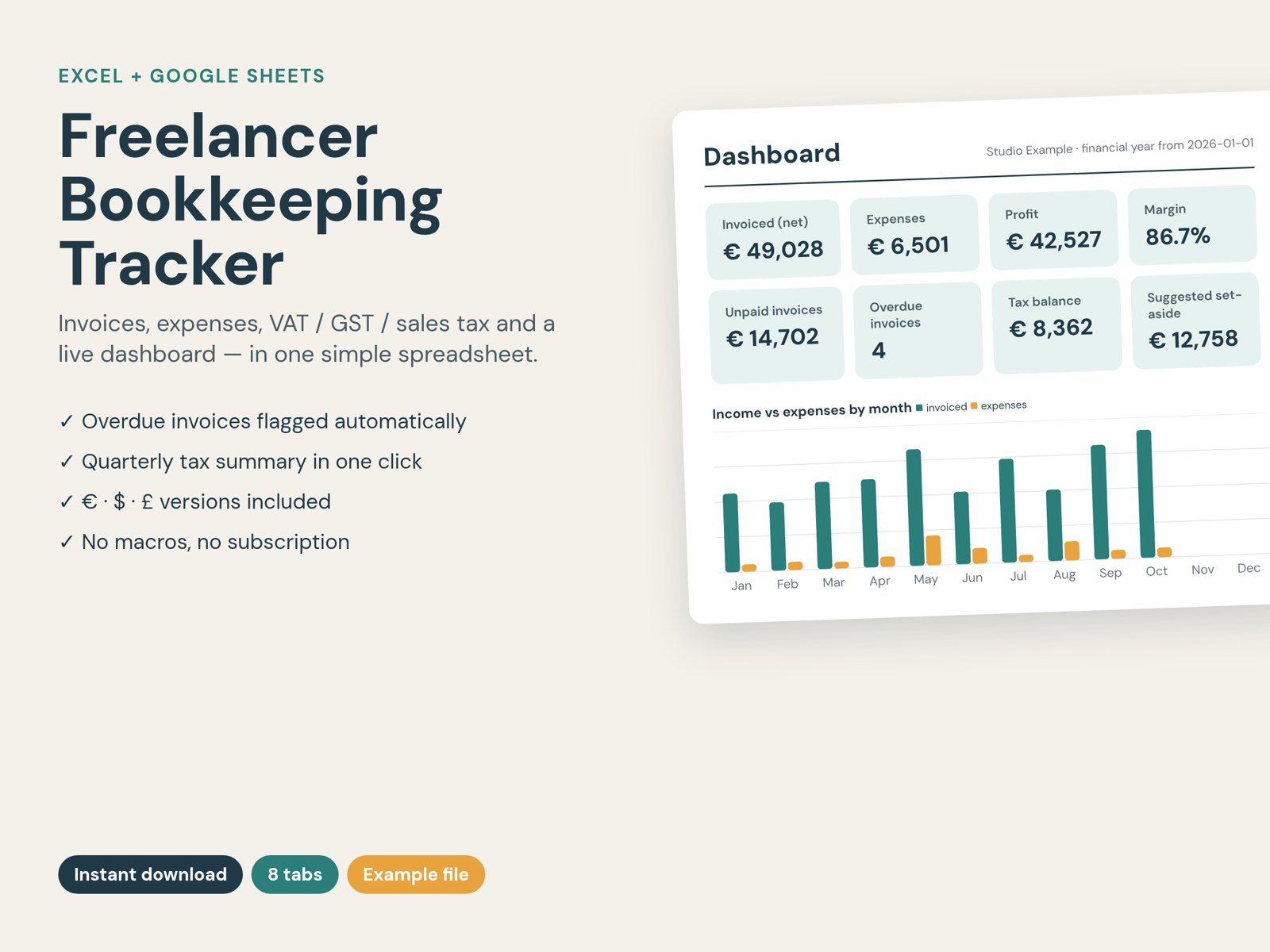
Dashboard of the Freelancer Bookkeeping Tracker

What it does

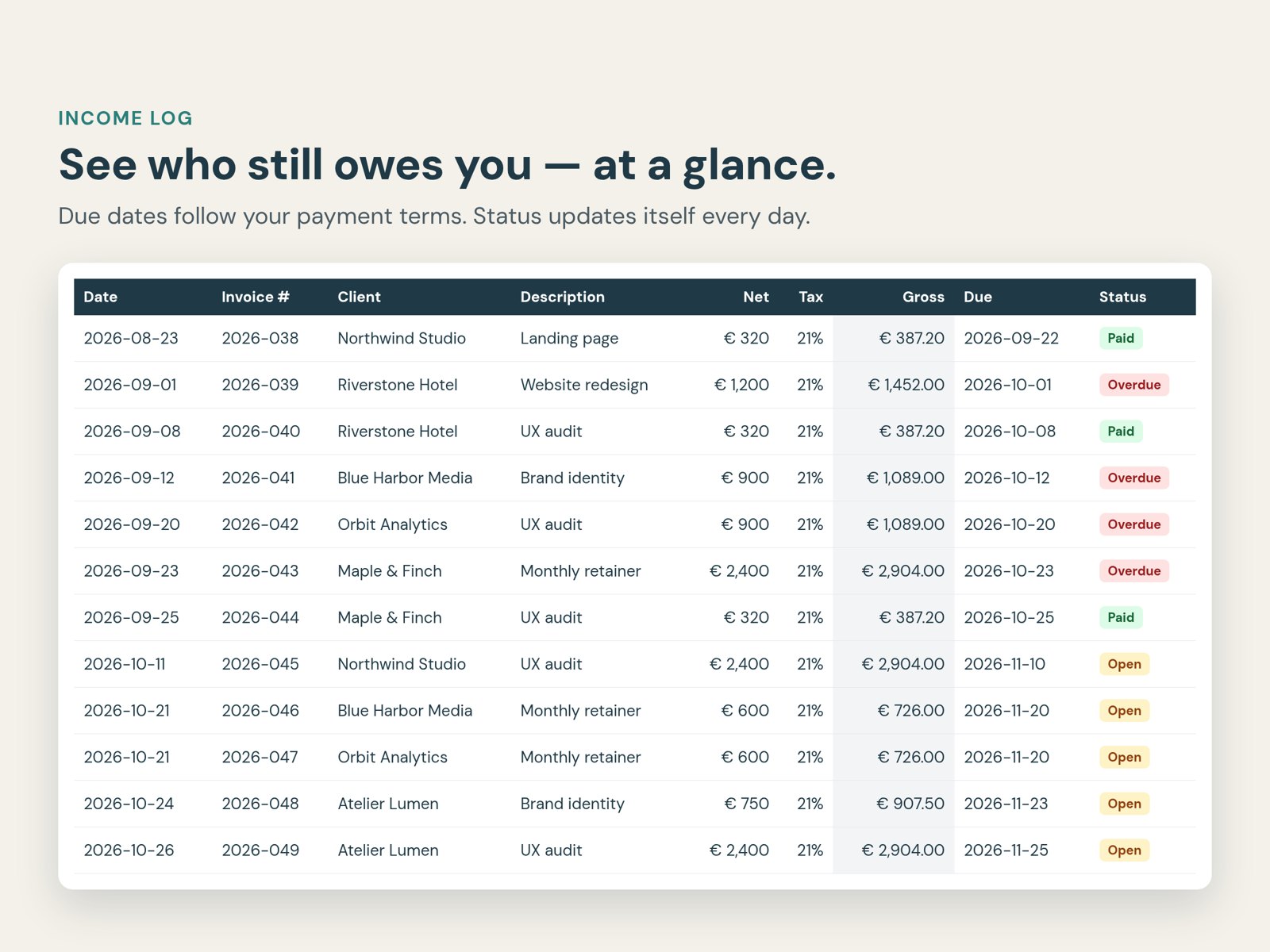
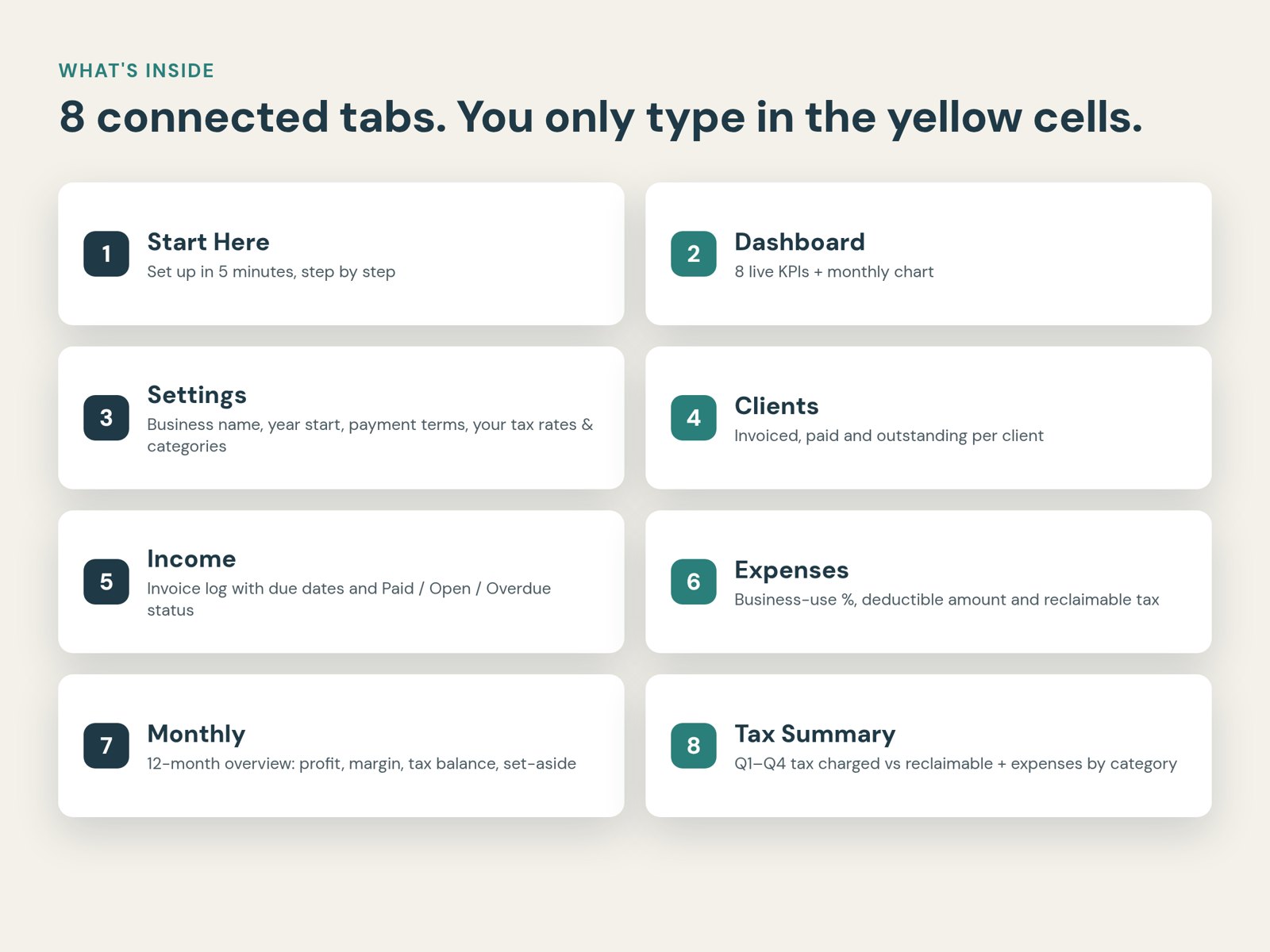
Invoices that chase themselves

Due dates follow your payment terms; status flips to Paid, Open or Overdue automatically.

Expenses done right

Business-use %, deductible amount and reclaimable VAT/GST per receipt.

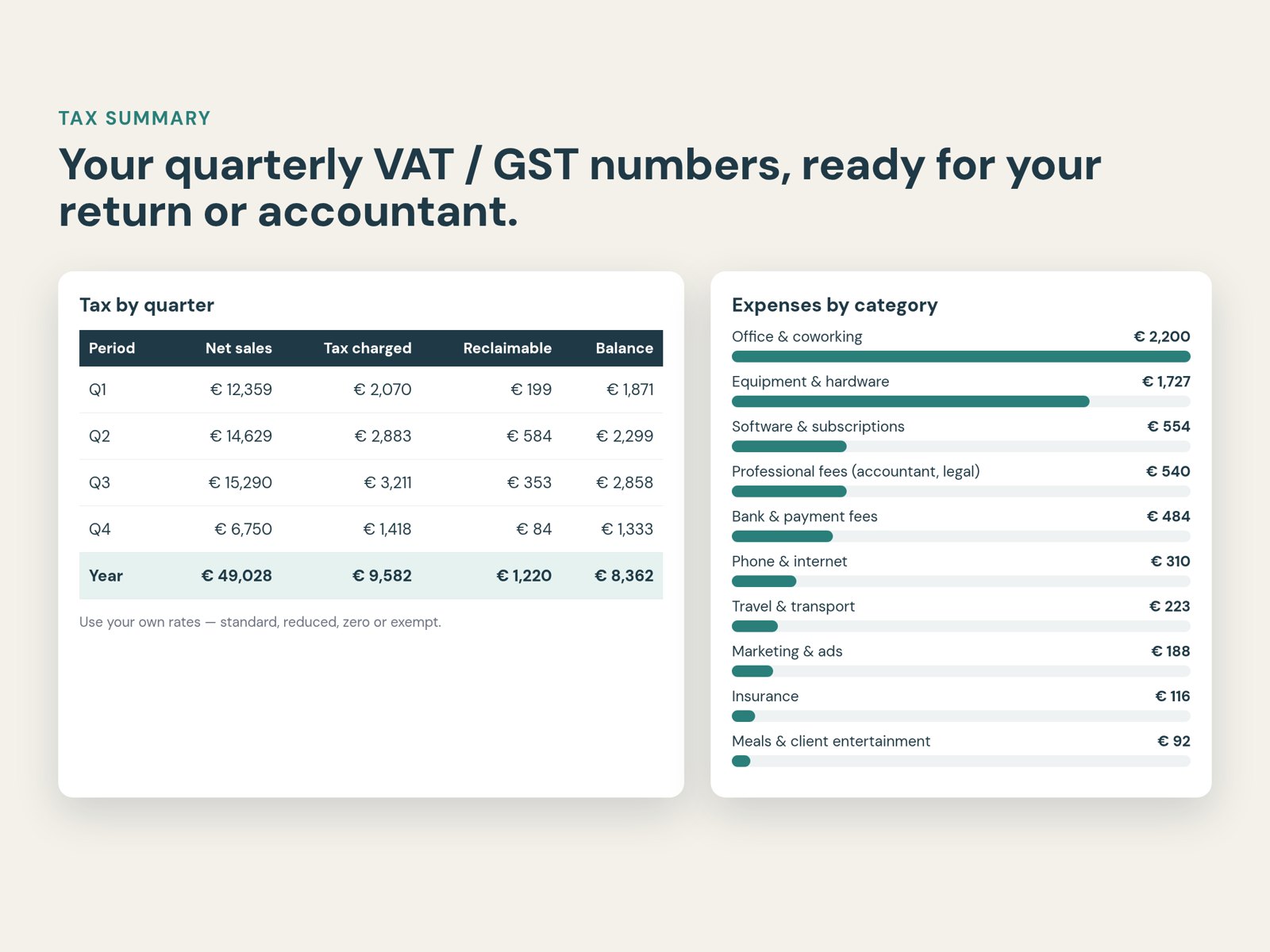
Quarterly tax summary

Tax charged vs reclaimable for Q1–Q4, ready for your return or accountant.

Live dashboard

8 KPIs plus monthly and category charts — profit, margin, unpaid, set-aside.

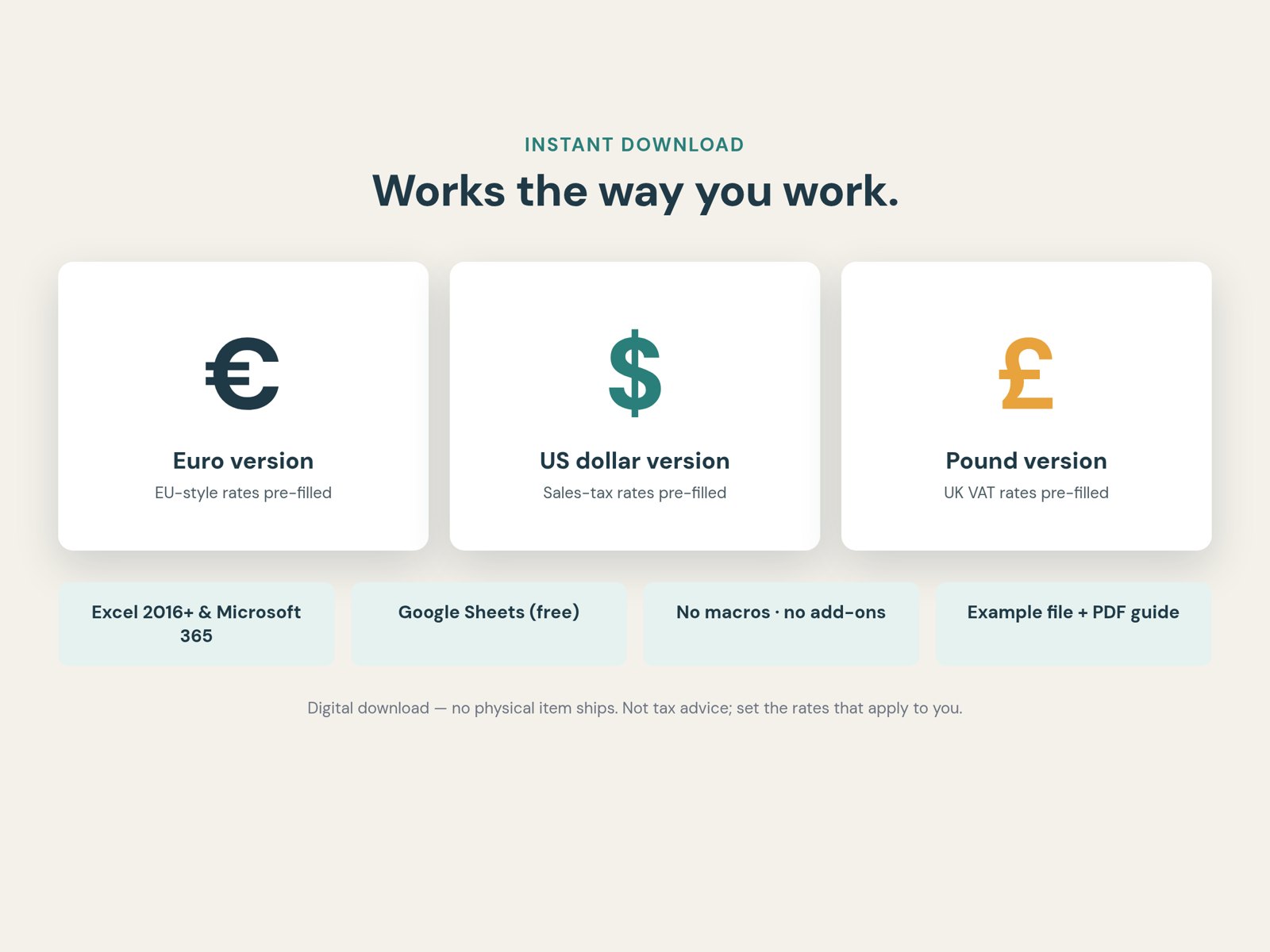
Any country, any currency

Set your own rates and categories. € $ £ editions included.

No subscription

One payment. Excel 2016+ and Google Sheets. No macros, no add-ons.

Take a look inside

What you get

FAQ

Does it work in Google Sheets?Yes. Upload the .xlsx to Google Drive and choose File → Save as Google Sheets. Formulas, dropdowns and charts carry over.
Which Excel version do I need?Excel 2016 or newer, or Microsoft 365. Desktop or laptop recommended.
Is this tax advice?No. It's an organisational tool. You set the tax rates that apply to you; check with your accountant.
Can I get a refund?Because you get the files immediately, the 14-day withdrawal right ends once the download is provided. If a file is faulty or not as described, email us and we'll fix it or refund you.
How do I get the files?Right after payment you're taken to your download page, and you receive a receipt by email. Problems? [email protected]

Buy now — €14

More products

Gezinsbudget Planner (NL/BE)

Dutch-language household budget planner for families in Belgium and the Netherlands: monthly budget, savings goals, debt payoff. Excel + Google Sheets, €9,99.

Free guides

Freelancer Bookkeeping Spreadsheet: A Simple Setup That Works

How to set up a freelancer bookkeeping spreadsheet in Excel or Google Sheets: the 4 tabs you need, the formulas that do the work, and a monthly 15-minute routine.

Self-Employed Expense Tracker in Excel (UK): What to Record

A practical guide for UK sole traders: which expenses to track in Excel, how to split part-business costs, mileage at 45p, VAT if you're registered and what to keep for HMRC.

Invoice Tracker Spreadsheet for Freelancers (with Overdue Formula)

Build an invoice tracker in Excel or Google Sheets that calculates due dates, flags overdue invoices and shows who owes you what. Free formulas included.

All guides →